Boardkeep: Pinterest Board, Pin & Video Downloader
Save the Pinterest boards, sections and pins you choose as images, GIFs and videos in a ZIP, a PDF or a folder. Your files are built on your device and never uploaded.
- Built on your device
- 100 free pins a day
- No account
The Problem
Pinterest boards change. Pins go dead, boards get deleted, and right-click save gives you a small preview, not the original. Saving a whole board one pin at a time takes hours.
What Boardkeep: Pinterest Board, Pin & Video Downloader Does
Whole Boards, Sections Or Single Pins
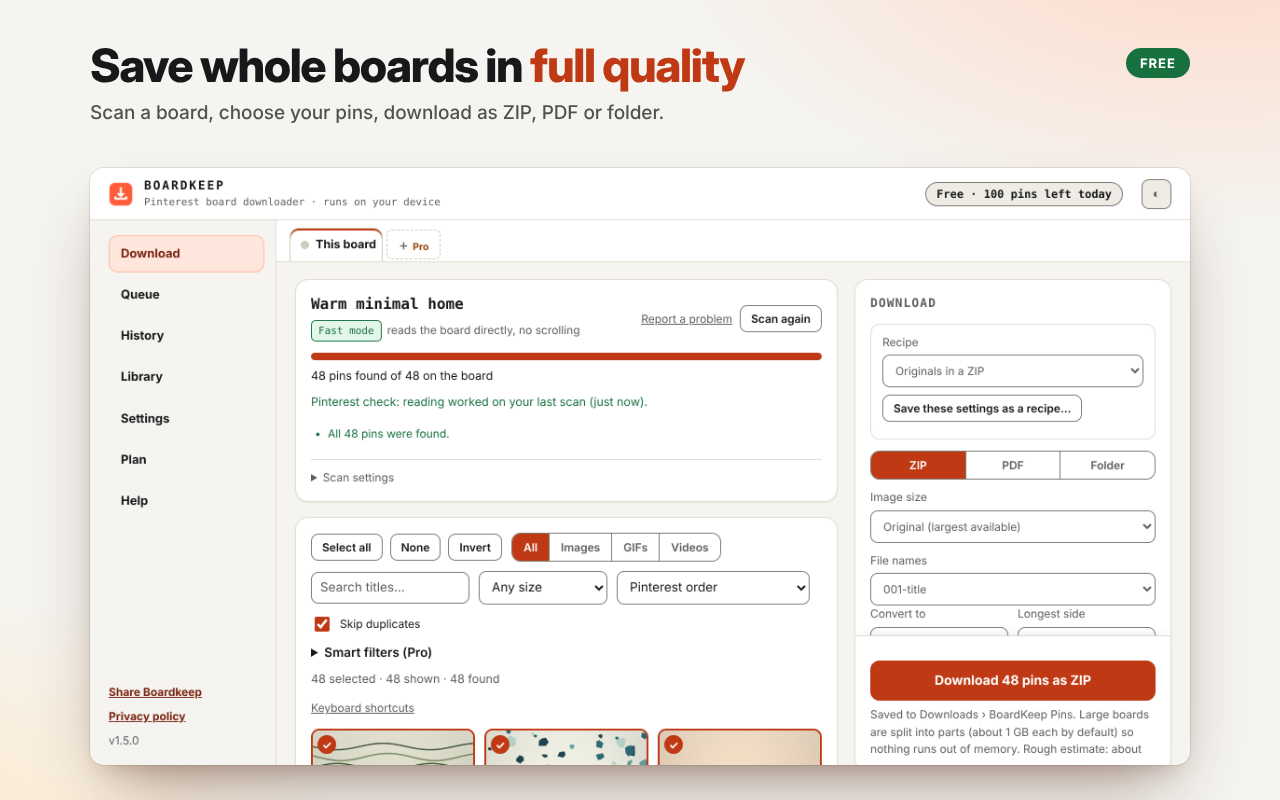
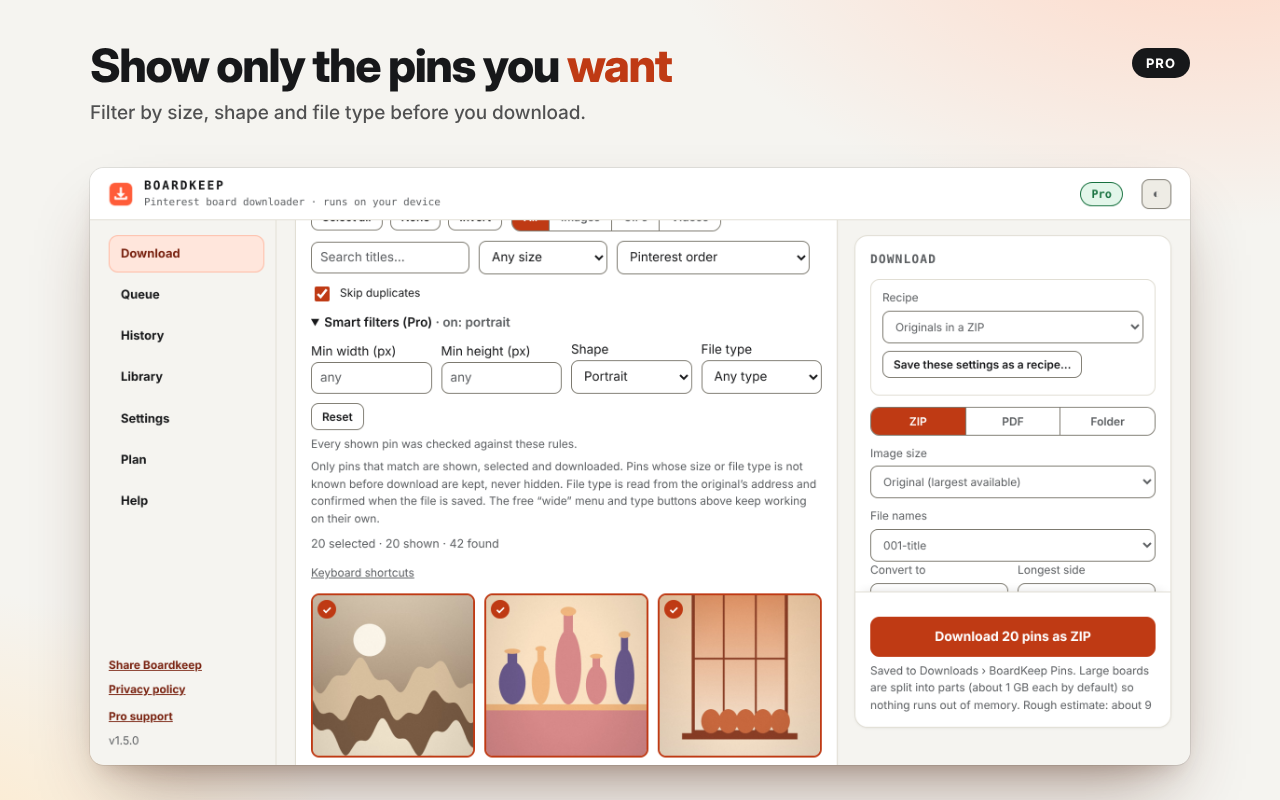
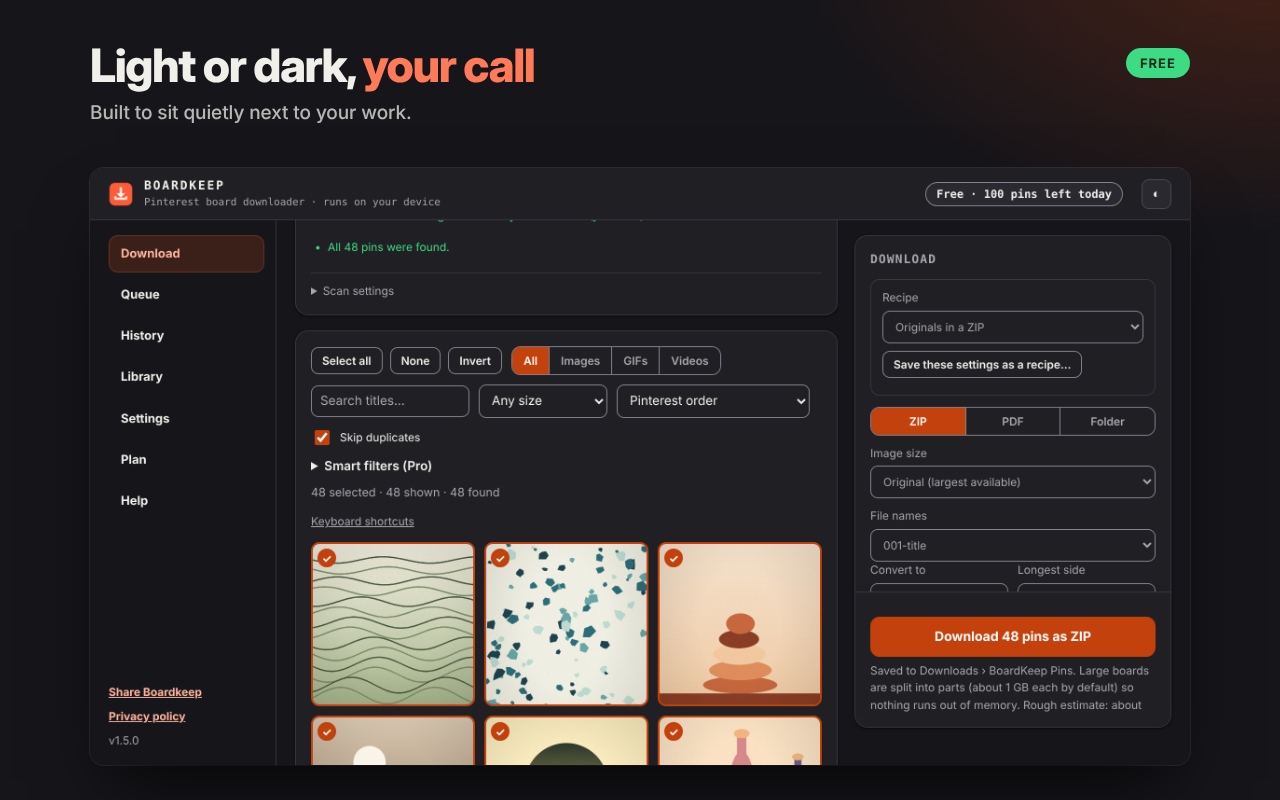
Scan a board, tick the pins you want or keep them all, then save them in full original quality.
ZIP, PDF Or Folder
Choose how your files are saved. Free includes all three, with no watermark.
Side Panel Beside Pinterest
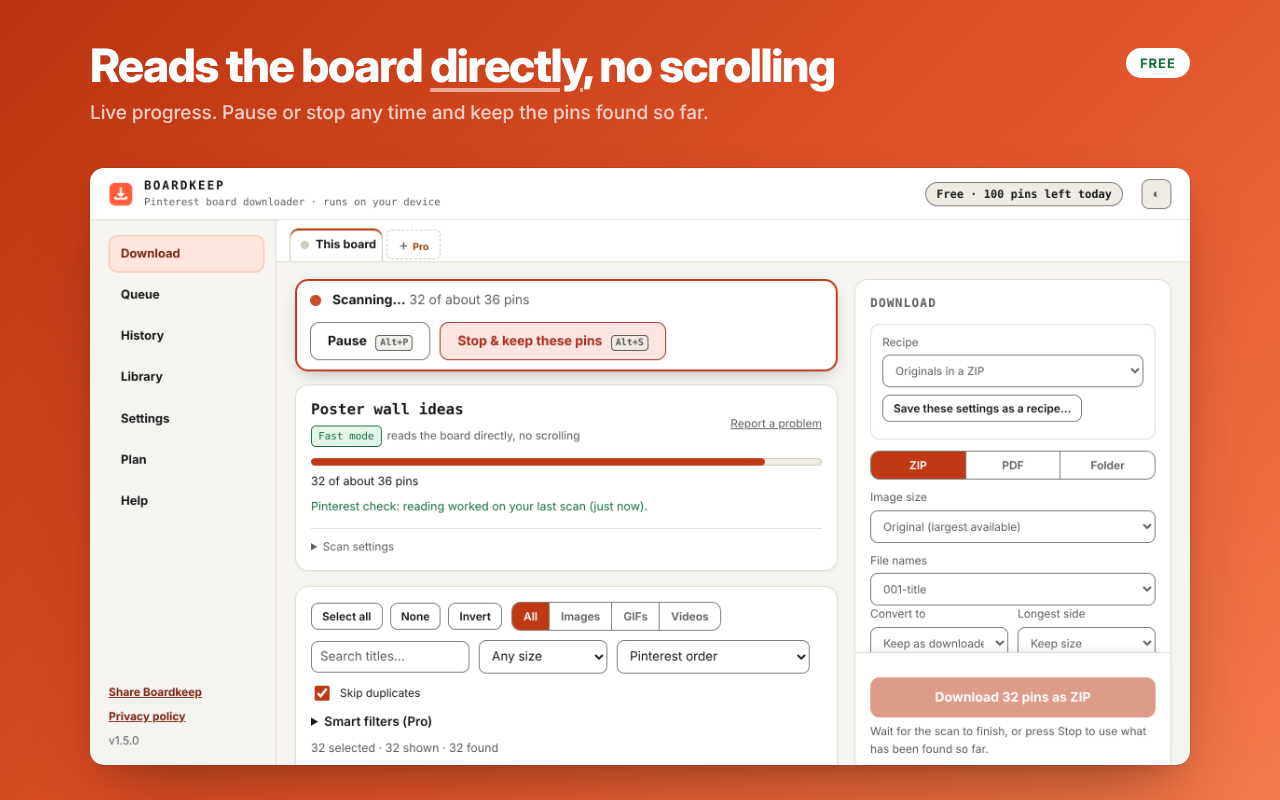
Press Alt+Shift+B to open it and keep browsing while a board scans or downloads.
Opens Pin.it Share Links
Paste a pin.it share link from the Pinterest app and Boardkeep opens it for you.
Pause, Resume And Skip Duplicates
Stop any time, skip pins you already saved, and resume an interrupted download. Anything that failed is listed in plain words.
Built On Your Device
ZIP and PDF files are built on your computer. Boardkeep has no account, no analytics, no ads and no remote code.
See It In Action
How It Works
Open A Pinterest Board
Open a board, section, pin or profile, then click the Boardkeep button or press Alt+Shift+B.
Scan And Choose
Boardkeep finds every pin and shows how many it found. Tick the ones you want, or keep them all.
Pick A Format And Start
Choose ZIP, PDF or folder. Your files land in your Downloads folder, inside BoardKeep Pins.
Pricing
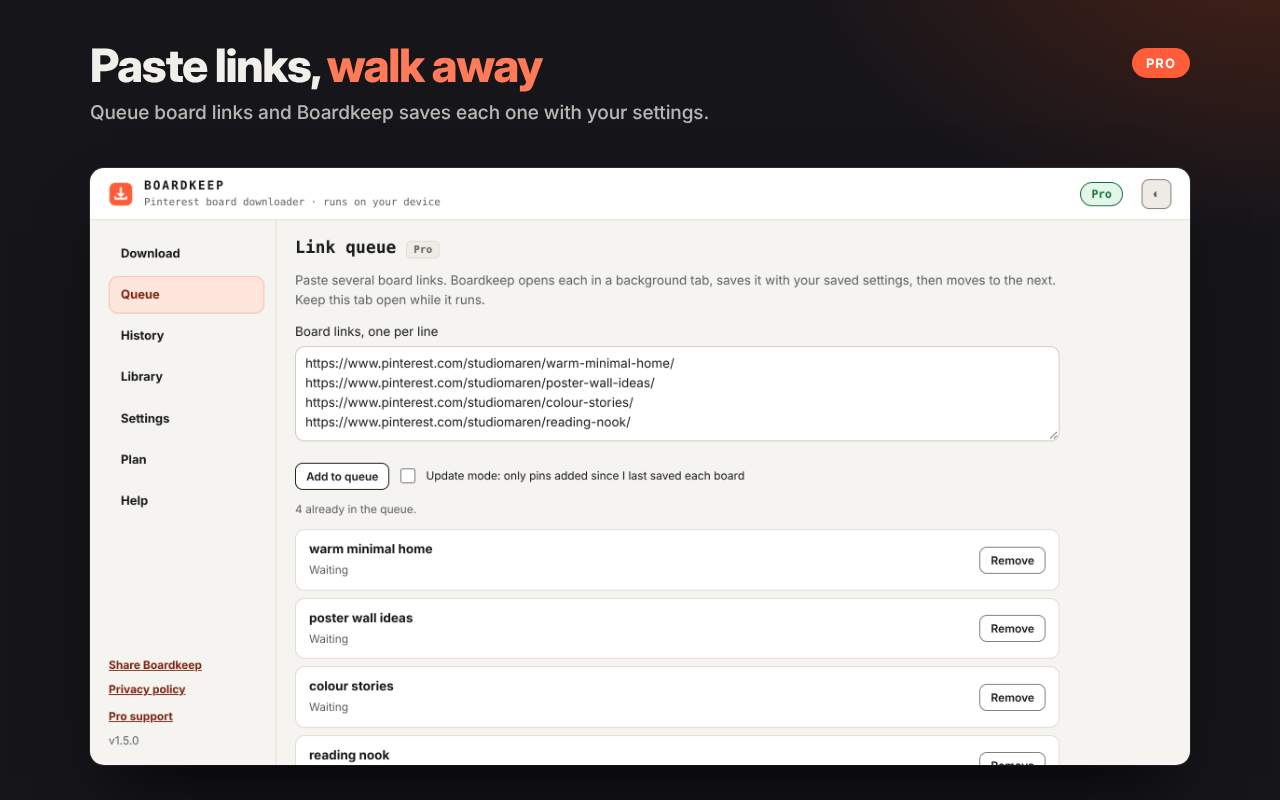
Free saves up to 100 pins a day in full original quality, as ZIP, PDF or a folder. Pro has no daily limit. Big boards are handled safely on your device.
30-day Pass
$9.99 for 30 days
30 days of Boardkeep Pro. Activate it within 30 days of buying; the 30 days start when you activate.
Buy the Pass (opens in a new tab)Annual
$19.99 for 1 year
One year of Boardkeep Pro. Launch price until 31 May 2027, then $29.99.
Buy Annual (opens in a new tab)Lifetime
$29.99 once
Yours forever. All future updates and new features included, and later price changes never affect you. Launch price until 31 May 2027, then $39.99.
Buy Lifetime (opens in a new tab)
One payment per plan, nothing renews. Use your licence on up to 2 devices. There is also a 3-day free trial of everything in Pro, started from the Plan screen in the extension, with no card.
Verify It Yourself
You shouldn’t have to take our word for it. Here is exactly what the extension can do, and how to check.
- activeTab and scripting
- Used on the Pinterest tab you are on, to read the board you asked to save and to show the optional Download button. Never used on other websites.
- storage
- Keeps your settings, download history, saved-board memory, the optional local library and notes, and your Pro licence status, on your device.
- downloads
- Saves the files you asked for to your Downloads folder, inside BoardKeep Pins.
- contextMenus
- Adds the right-click items on Pinterest pages for saving an image or a board.
- sidePanel
- Shows the board downloader beside the page you are browsing.
- Website access
- Pinterest’s image host (pinimg.com) and api.gumroad.com. Pinterest sites and the pin.it short-link host are optional: Boardkeep asks for them when you first use it or paste a pin.it link, and you can remove them in Chrome at any time.
- Notifications
- Optional and off by default. Used only for one desktop notification when a download finishes while you are in another tab.
- Network
- Boardkeep contacts Pinterest and its image host to read boards and fetch the pictures you choose, and Gumroad only to check a Pro licence key. Nothing you save is uploaded to us.
- Remote code
- None. Every script is bundled with the extension.
Open chrome://extensions, choose Details for Boardkeep and check the permissions yourself. Read the privacy policy.
Questions
Can I download a private or secret Pinterest board?
Yes, if you can see it. Boardkeep works inside your own signed-in Pinterest session and cannot open boards you do not have access to.
Do I need a Pinterest account or a Boardkeep account?
You need to be signed in to Pinterest only for boards that require it. Boardkeep itself has no account.
Is it full quality?
Yes. Boardkeep fetches the original-size picture, not the thumbnail.
Where do my files go?
Into your Downloads folder, inside a folder called BoardKeep Pins. ZIP and PDF files are built on your computer.
Does it upload my files?
No. Your files are built on your device and nothing you save is uploaded to us.
What does it cost?
Free saves up to 100 pins a day in full original quality, as ZIP, PDF or a folder. Pro has no daily limit. There are three Pro plans, a 30-day Pass, Annual and Lifetime, each a single payment that never renews. See the Pricing section on this page for prices.
What do I get with Lifetime?
Yours forever. All future updates and new features included, and later price changes never affect you.
Can I try Pro first?
Yes. There is a 3-day free trial of everything in Pro, started from the Plan screen in the extension. It needs no card.
Does it work in other browsers?
Boardkeep works in Chrome and in Microsoft Edge.
Is Boardkeep affiliated with Pinterest?
No. Boardkeep is not affiliated with, endorsed by, or sponsored by Pinterest. Pinterest is a trademark of Pinterest, Inc. Save only content you have the right to keep.
Stay Updated
One email when we release a new extension, a major update or a new tool. We do not track opens or clicks.
Save Your Boards Before They Change.
No account, and your files are built on your device.
Add To Chrome (opens in a new tab)