
Blackbar
Strip secrets and personal data out of HAR files, PDFs, images and text before you send them on. It runs on your device and shows you what it found. Formerly HAR Sanitizer.
- Files never leave your device
- No website access by default
- No account
The Problem
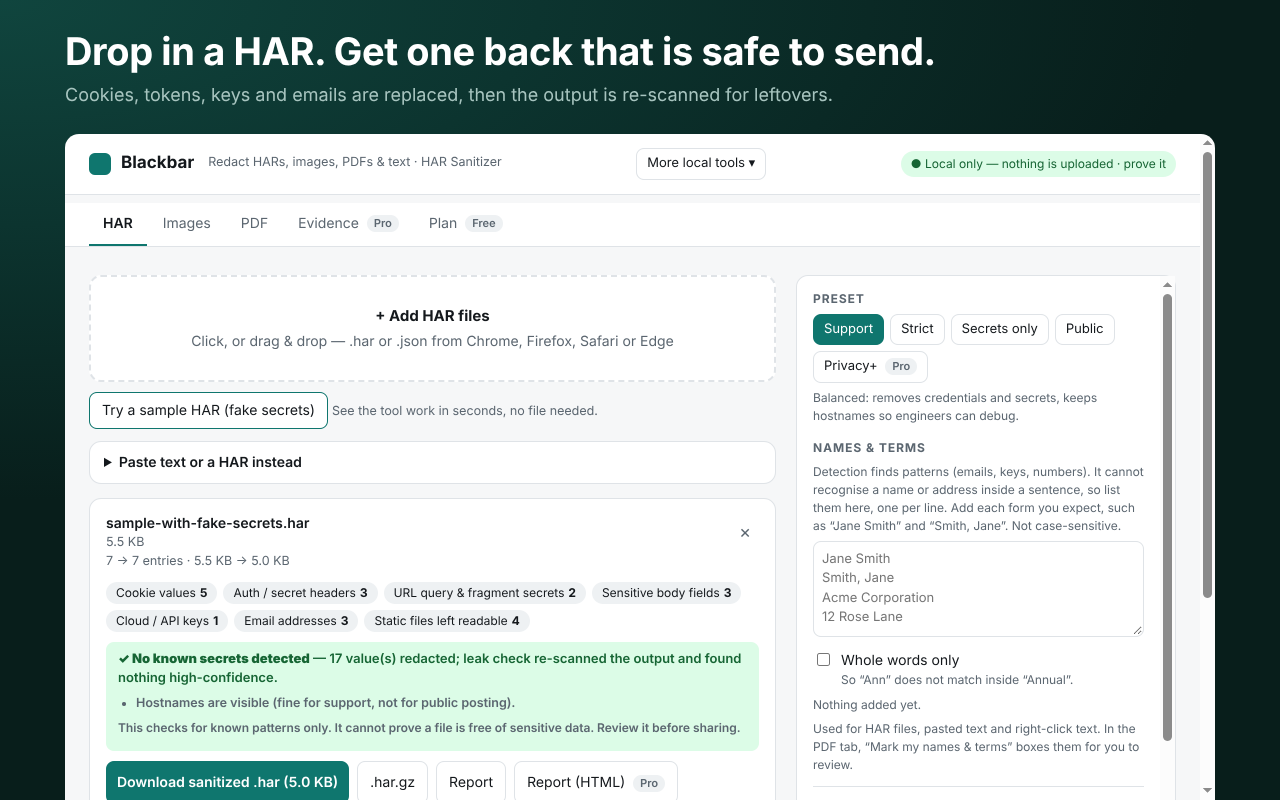
A HAR file records everything your browser did, including your session cookies, API tokens and passwords. A PDF or screenshot can carry names and account numbers. Send any of them to support, a vendor or a forum and you have shared more than you meant to.
What Blackbar Does
Redacts HAR Files As You Record
Open the Blackbar tab in DevTools and use the page. Requests can be redacted before you download them.
HAR Files, PDFs, Images And Text
Drop in a HAR file or a PDF, open an image in the editor, or paste text. Everything is processed in your browser's memory.
Catches The Usual Suspects
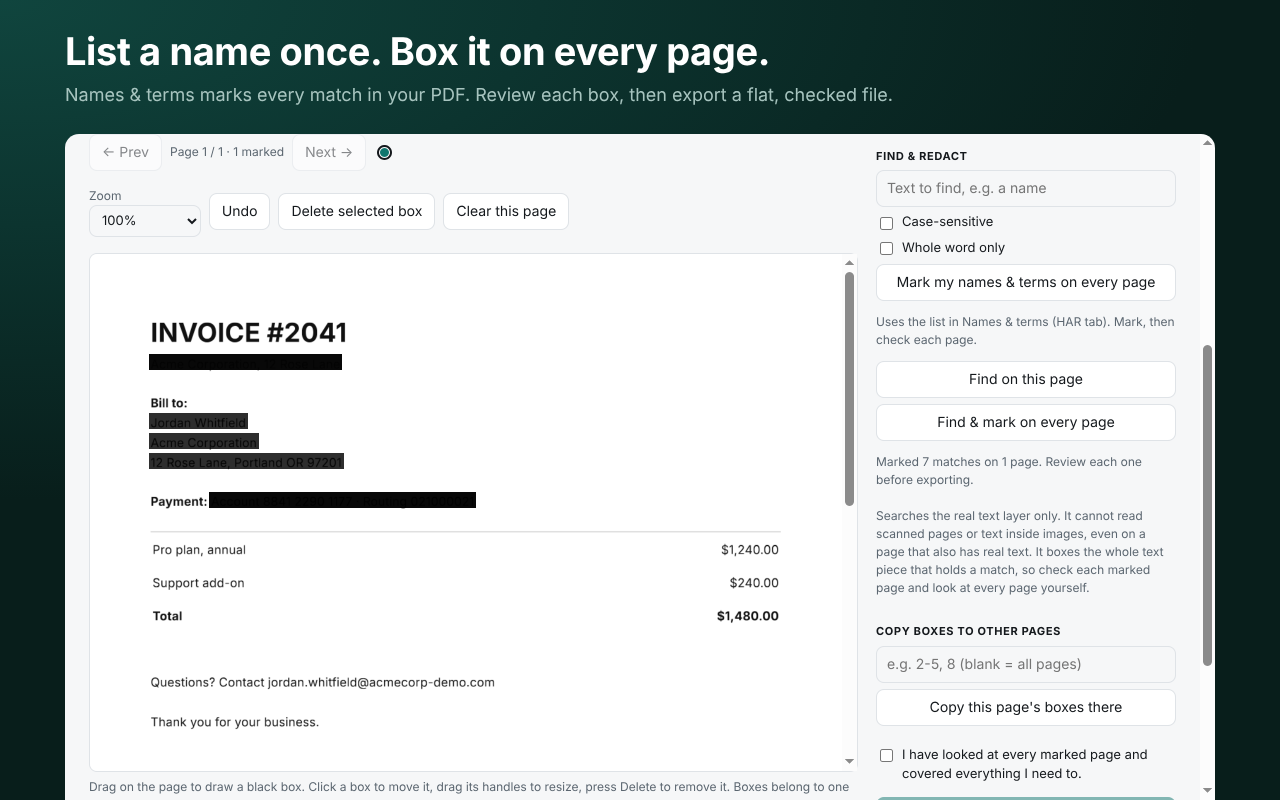
Finds secrets by name and known patterns, plus the names, companies and addresses you list under Names & terms.
You Set How Hard It Guesses
An over-redaction level and placeholder style let you choose between readable output and a stricter clean.
Right-Click Redaction
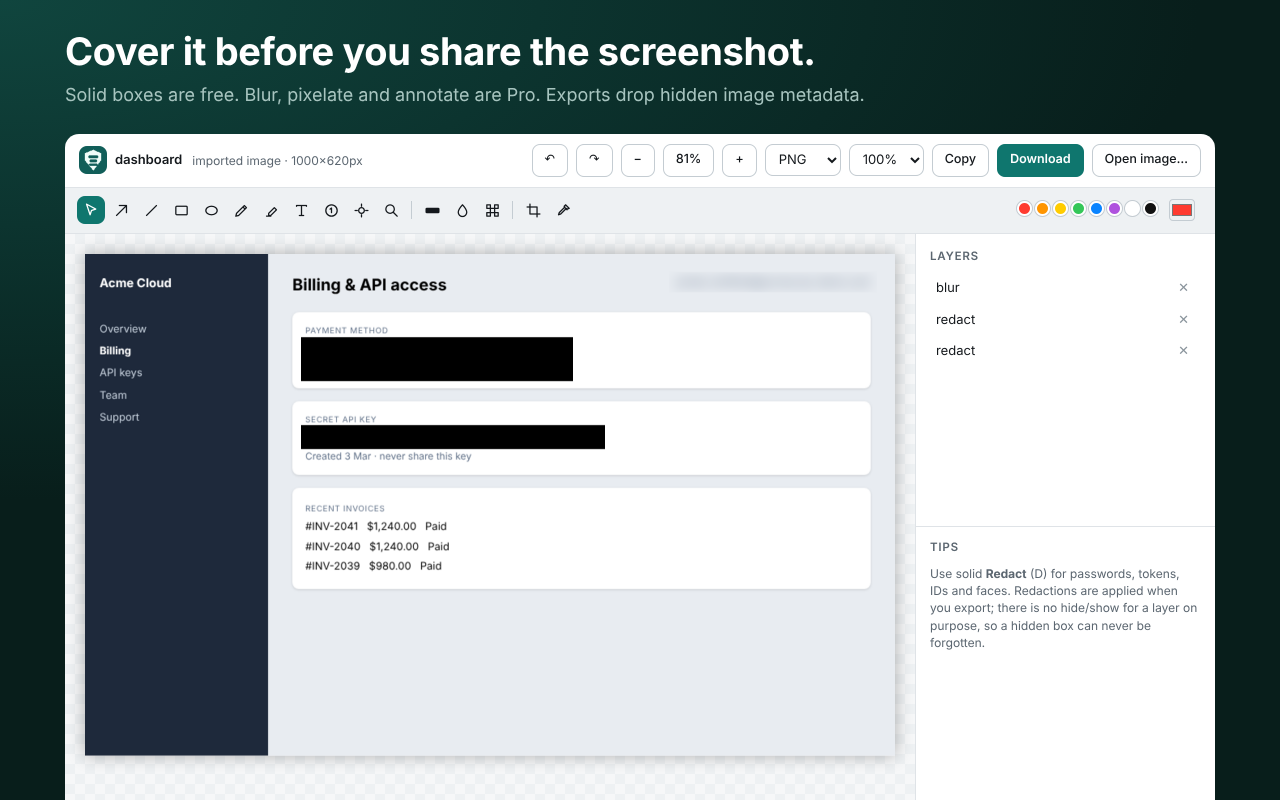
Send an image to the editor, sanitize selected text, or redact part of a page from the right-click menu, only when you choose to.
Restorable, Encrypted Mappings
Optionally keep an encrypted file that maps placeholders back to the originals, protected by a passphrase only you know.
See It In Action
How It Works
Record, Open Or Paste
Use the Blackbar tab in DevTools, open a HAR file or PDF, or paste text into the app.
Review What Was Redacted
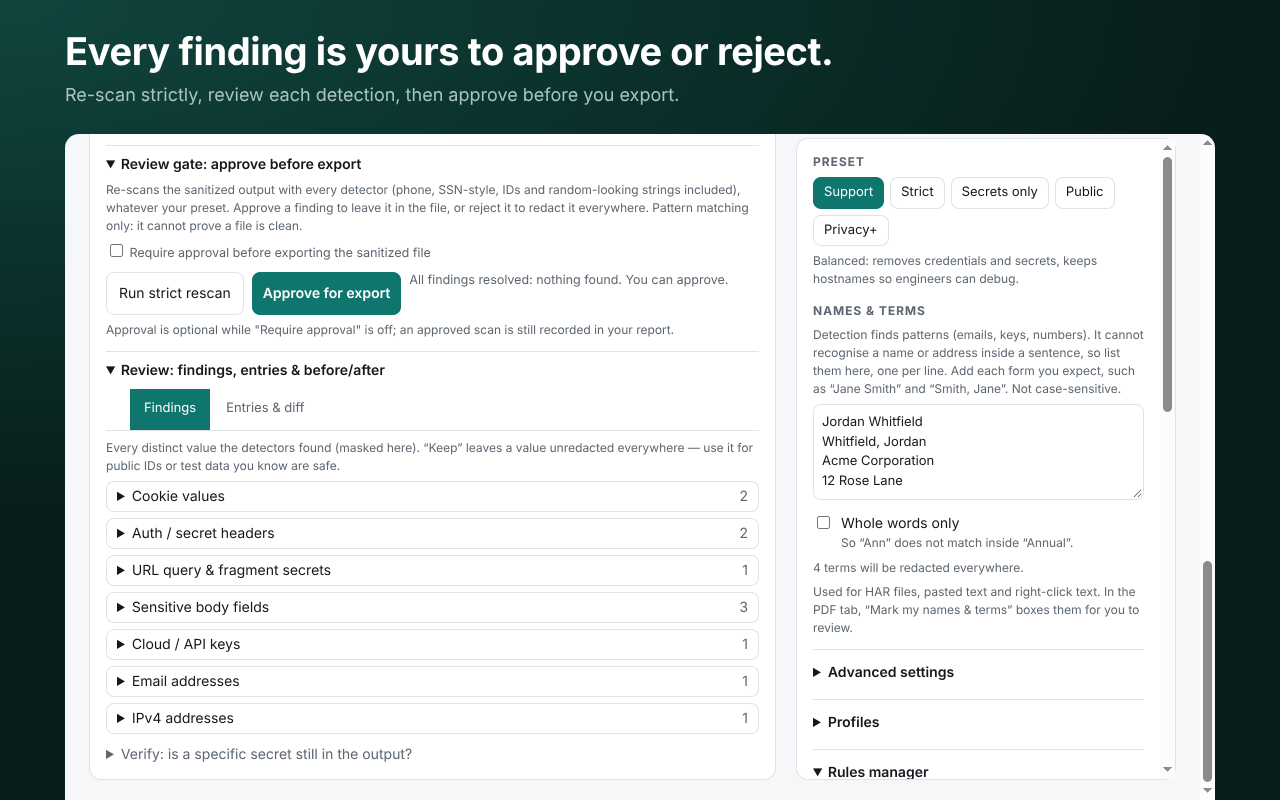
Check what changed and choose what to keep or always redact.
Download The Clean Copy
Nothing is written until you click download, to the place you choose.
Pricing
Free
$0 no account
HAR redaction, Names & terms, right-click redaction, leak check, audit log, encrypted restore, and the basic image and PDF tools. No limits, no account.
Add To Chrome (opens in a new tab)- Pro
Pro Lifetime
$9.99 one time
Everything in Free, plus the Privacy+ preset, a rules manager, a review gate, full reports, batch and profiles, the full image editor and PDF Find & redact. Pay once, no subscription.
Buy Pro (opens in a new tab)
Want to try Pro first? Start the 7-day trial from the Plan tab inside the extension. It needs no account, email or card, runs on your device and sends nothing anywhere. After you buy, paste the licence key from your Gumroad receipt into the Plan tab.
Compare Free And Pro
| Feature | Free | Pro |
|---|---|---|
| HAR redaction with four presets and per-site settings | Included | Included |
| Names & terms list, redacted in HAR files and text | Included | Included |
| Right-click image to editor, sanitize selected text, paste box | Included | Included |
| Leak check, verdict, diff and audit log | Included | Included |
| Encrypted restore and zip of many files | Included | Included |
| Image editor | Solid box, crop, PNG export | Adds blur, pixelate and annotate, and redacts images inside a HAR |
| PDF redaction | Manual black boxes | Adds Find & redact and copying boxes to other pages |
| Privacy+ preset and extended vendor key detection | Not included | Included |
| Rules manager with live test box | Not included | Included |
| Review gate and strict rescan before export | Not included | Included |
| Full HTML and JSON reports | Not included | Included |
| Same placeholders across a batch, and named profiles | Not included | Included |
| Sanitize in place, page redaction and capture | Not included | Included |
| Evidence pack | Not included | Included |
Verify It Yourself
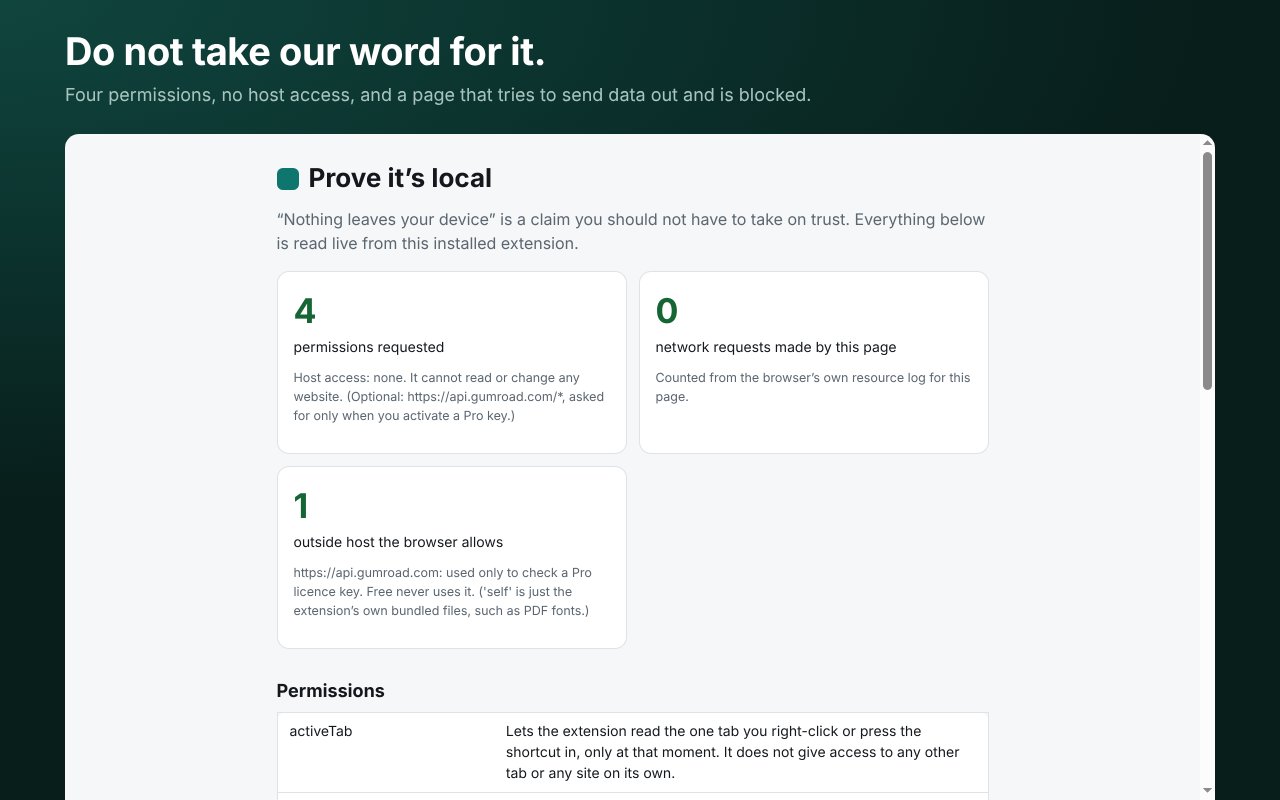
You shouldn't have to take our word for it. Here is exactly what the extension can do, and how to check.
- storage
- Saves your settings, Names & terms list and site profiles. HAR, PDF and text contents are never written to storage.
- contextMenus
- Adds the right-click items for images, selected text and page redaction.
- activeTab and scripting
- Work on one tab, only right after you click a menu item or shortcut. There are no content scripts.
- DevTools panel
- Adds the Blackbar tab so requests can be redacted as they are recorded.
- Website access
- None by default. The only optional host permission is api.gumroad.com, requested if you activate a Pro licence key.
- Network
- Nothing is sent unless you activate a Pro key, which is then checked with Gumroad. Your files are never sent.
- Remote code
- None. Every script is bundled with the extension.
Open the extension's built-in “Prove it’s local” page to see the network block live, or open chrome://extensions and check the permissions yourself. Read the privacy policy.
Questions
Is Blackbar the same extension as HAR Sanitizer?
Yes. Same publisher, same extension, new name. On Chrome, HAR Sanitizer has become Blackbar and now also handles PDFs, images and text. The Firefox version is still HAR Sanitizer for now.
Does it upload my files?
No. The extension has no server. Files are processed in your browser's memory and written only when you click download.
Does it send anything anywhere?
Only if you activate a Pro licence key. Then it sends the key and our product ID to Gumroad to confirm your purchase. If you never activate a key, it makes no network requests at all.
What is saved on my device?
Your settings, your Names & terms list, site profiles and, for Pro, your licence key. Temporary image copies are removed after 24 hours. Uninstalling removes everything.
Can it guarantee nothing is left?
No tool can promise that. Blackbar finds secrets by name and known patterns, and the terms you list. Review a cleaned file before you share it.
What does Pro cost?
$9.99, paid once on Gumroad. There is no subscription. The free version keeps working with no limits.
Can I try Pro first?
Yes. The 7-day Pro trial starts from a button in the extension's Plan tab. It needs no account, email or card, runs on your device and sends nothing anywhere.
Share The File, Not Your Secrets.
Free to start, no account, and your files stay on your device.
Add To Chrome (opens in a new tab)